Pages

Showing posts with label Apk Productivity. Show all posts

Monday, October 22, 2012

aCalendar+ Android Calendar 0.14.2

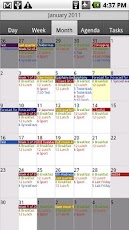
aCalendar+ Android Calendar v0.14.2 Apk - aCalendar+, the best-rated Android calendar.

aCalendar+ is still BETA software - please try the free aCalendar version first!

There are only few additional features yet, but buying aCalendar+ supports development, and many more features are planned.

EXTRA FEATURES (aCalendar+ only)
? Month widget
? text and file sharing option
? Privacy and availibility settings
? Create new local calendars (ICS+ only)
? Manage attendees and invitations
? Helps protect the endangered Mountain Tapir in the cloud-forests of Ecuador through World Land Trust http://www.worldlandtrust.org with a donation of 4m� per purchase

FEATURES
? intuitive navigation with smooth transitions
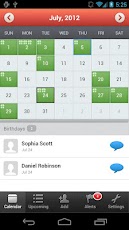
? day, week & month calendar
? Fullscreen widgets
? flexible recurrences
? birthdays & anniversaries with photos from your addressbook and editing
? uses Android's native calendar backend and synchronization
? no battery drain
? moon phases and zodiac signs for birthdays
? QR barcode sharing of events
? 12/24h clock honoring system settings
? optimized text display and improved line-break

aCalendar+ Android Calendar 0.14.2
$2.60
USAGE
? move forward and backward by swiping vertically or volume rocker
? switch between calendar views with a horizontal swipe (opens the day or week you start the swipe gesture on) or double-tap for day view
? tap to open event
? long-press to add new event
? long-press on mini-month to go to today or jump to date
? tap on photo to open quick contact menu
? 3-finger-tap to go to today

PERMISSIONS
On top of the basic calendar and contact permissions also necessary for the free version, aCalendar+ also asks for Internet. Internet will be used in the future for Google Tasks and potentially other services. aCalendar+ respects your privacy and will NEVER send any of your private data anywhere unless configured by YOU. 'Send Email to guests' is bound to 'write calendar data' by Google.

TRANSLATIONS
aCalendar+ is translated into over 20 languages - please let me know if there is a bad translation somewhere.

LOVE
? If you like aCalendar+, you can show your support by rating 5-stars and recommending it to your friends ?

ROADMAP (Planned features)
? more calendar widgets
? attendee management
? agenda view and widget
? Google Tasks integration
? Color-coded categories (requires Android 4.1+)
? alternative calendar system support (Bah�'�, Chinese, Ethiopian, Hebrew, Indian, Iranian/Persian, Islamic/Hijri, Thai, Zoroastrian)
? send YOUR feature requests to support@tapirapps.de

aCalendar+ Android Calendar 0.14.2

REQUIRES ANDROID:2.1 and up

Download Apk :
http://www.filedownloads.org/t1wxitwrjkfp 

Mirror:
http://extabit.com/file/279llrxuu83o6 
http://www.directmirror.com/files/1IIFC3W4

Market :
https://play.google.com/store/apps/details?id=org.withouthat.acalendarplus

Friday, October 19, 2012

CalenGoo 1.0.87

CalenGoo v1.0.87 Apk - CalenGoo is a calendar app that can sync with Android calendar and Google Calendar. It is designed to make it easier and faster to work with your calendar on your phone. Five different calendar views (day, week, month, agenda, landscape day) give you a good overview over your upcoming events. To make rescheduling events easy, they can be moved or copied via drag&drop in the day, week, month and landscape day view.

If you have any problems please contact android@calengoo.com! (Please ensure that you are using the correct email, someone in the reviews said he didn't get an answer, but I re-checked my emails and I did not get any email from him.)

Additional features:

- Drag&Drop support to move, copy, open and delete events
- Widgets to see your events on your home screen without opening the app: day widget (4x1, 4x2, 4x3), week widget (4x3, 4x4, 5x5), month widget (4x3, 4x4, 5x5) and agenda widget (different sizes from 2x1 up to 5x5). In the month 4x4 widget you can tap a single day to directly open it. The agenda widgets can be (optionally) scrollable (but under Android 2.x this requires a special home screen manager).
- Zoomable month view
- Configurable startup view (day, view, month, agenda)
- When adding recurring events you can use the same rules that you can use in Google Calendar, e.g. you can create events "on Monday and Thursday every two weeks" or "every last Friday in a month".
- Direct sync with Google Calendar option e.g. to download all historical data and to be able to assign icons to events
CalenGoo 1.0.87
$5.90

- Predefined and custom icons can be assigned when syncing directly (http://android.calengoo.com/icons )
- Improved date picker that displays a whole month to choose a date
- Search function (with optional advanced options like "Whole words" and "Case sensitive")
- Customizable hardware buttons (e.g. you can assign the "Today" function to the "back" button)
- Sync with Google Tasks
- Many configuration options to change the way the app looks and works.
- Repeatable, snooze-able reminders using a custom sound (e.g. an MP3 file from your phone) or one of the built-in sounds. You can choose a different sound for each calendar.
- The birthdays and anniversaries of your contacts can be displayed (http://android.calengoo.com/birthdays )
- Events can be sent as SMS or email. When sending them as email an ICS file is attached that the recipient can use to import the event into his own calendar.
- Functions to export/import entire calendars as ICS files.
- Completable events and floating events ( http://android.calengoo.com/completable )

CalenGoo 1.0.87

REQUIRES ANDROID:1.6 and up

Download Apk :

Market :
https://play.google.com/store/apps/details?id=com.calengoo.android

Quicker 1.9.5.2

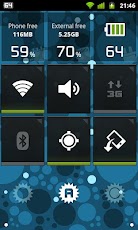
Quicker 1.9.5.2 Apk - Quicker lets you put frequently used settings and shortcuts into a single place and access them from there quickly. It extends standard stock settings with better volume and brightness controls, as well as free memory indicators. Built in screen and LED flashlight make it even more useful.

Terms of use: http://goo.gl/2dIkG

Switches:
- Brightness (w/ Screen Dimmer for convenient usage of the phone in the darkness)
- Ringer mode
- Volume streams
- Bluetooth
- Wi-Fi
- Portable Wi-Fi Hotspot*
- GPS**
- Mobile Data**
- Call settings
- Auto-sync
- Screen timeout
- Airplane mode
- Auto rotation
- Screen lock pattern

Indicators:
- Battery
- Free memory (internal, external)
- App cache
- Digital clock

Tools:
- System shortcuts
- Application shortcuts
- Flashlight (screen and LED)***

Quicker 1.9.5.2
$2.59

Others:
- Battery indicator in status bar
- Settings backup (configure once and restore at any time later)
- Quick launch via status bar shortcut or by long-pressing hardware "search" button

Quicker uses following permissions:
- "Storage" for backup / restore feature
- "GPS location" for switching GPS on/off (see **)
- "Take picture & video" for LED flashlight
- "Directly call" for the shortcut widget when you adding a direct call shortcut
- "Reading log data" for being able to report issues
- "System tools" permissions for changing various system settings
Quicker uses these permissions for the purposes listed above only.

*) Not available for some Android version and phones
**) Direct switch is available for some Android versions and phones 
***) LED flashlight might not be compatible to some phones

FAQ:
- Can Quicker launch after phone restart? Yes, just install it to the phone memory (not SD card)
- Why Brightness switch does not work? If you have a SwipePad running, then it can interfere with this function on Android 4.0 or higher devices.

NOTE 1: Although Quicker does its best to switch Mobile Data, GPS and WiFi Hotspot with a single click, there are devices / Android versions where these settings cannot be switched directly. In such cases shortcuts to stock settings are available only.

NOTE 2:
Why no direct switch? Because Android security model does not allow installed applications to change secure system parameters. This is done to protect users from malicious application that can misuse those parameters otherwise.

Quicker 1.9.5.2

REQUIRES ANDROID:2.1 and up

Download Apk :

Market :
https://play.google.com/store/apps/details?id=com.bwx.quicker

Thursday, October 18, 2012

Notepad Voice Recognition Pro 2.16

Notepad Voice Recognition Pro v2.16 Apk - Create your entries with voice input without the hassle of typing. Easy, fast and simple to use.

Pro features:
- Ad free
- 2 Widgets included
- Synchronise with Google Tasks
- Save lists as textfiles
- Add entries to clandar

Notepad Voice Recognition Pro 2.16
$1.29

Features:
- Voice recognition
- Check items as done
- Copy, paste, and edit entries
- Various font types and themes
- Several lists for each use
- Export and import lists
- Works with many languages
- Text to speech
- Reminder function
- Sort lists alphabetically

Supported languages:
English, Spanish, Russian, Italian, German, French, Polish and Portugese

An internet connection is needed for the voice recognition.

Notepad Voice Recognition Pro 2.16

REQUIRES ANDROID:2.1 and up

Download Apk :

Mirror :
http://www.directmirror.com/files/1ANP2XV5

Market :
https://play.google.com/store/apps/details?id=NotepadPro.DE

Executive Assistant + 1.9.4c

Executive Assistant + v1.9.4c Apk - Your info. Your way. Your Executive Assistant.

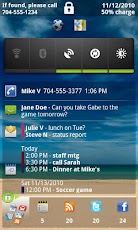
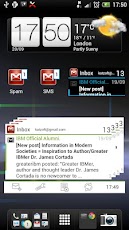
Executive Assistant (EA) provides an all-in-one interface for quickly reviewing your:

+ Email: any combination of GMail, Google Apps, or POP/IMAP accounts. Exchange too if you use a supported email client. See below for a list of supported clients. 
+ Text messages: both native and Google Voice, including pop-up and reply options
+ Missed calls: return calls directly from the app
+ Calendar events (including Exchange & Facebook if supported by your phone)
+ Tasks: Astrid, DGT GTD (w/Pure Widget plugin), Google Tasks Organizer, Got To Do, GTasks by Dato, ToDo Task Manager, or TouchDown
+ Google Reader
+ Twitter timeline
+ Facebook news

Use in any of 3 modes:
+ Lock Screen: Use as a lock screen replacement to preview all of your stuff without going thru the hassle of unlocking the phone. You choose which info is safe to show on the lock screen.

+ Welcome Screen: Instant-on immediately after unlocking the phone. Don't pattern lock your phone? Give this mode a try for instant access to all your stuff.

+ Home Screen Widget: 'always on' interface wherever you want it. Use a full-widget that includes a preview area, or a single-row, icons-only widget that simply shows the app icons with counts. Many sizes to choose from. Optionally use a Sense-like or Glass theme for the full-widget.

Full-widgets are scrollable for Android 3.0 & later, and for any launcher that supports version 2 of the scrollable widgets extension, such as: ADW, Launcher+, Go and Zeam (but not Launcher Pro since it uses version 1).

Executive Assistant + 1.9.4c
$6.99

In every mode: launch apps, return missed calls, dial voicemail (or optionally choose to launch Google Voice, Visual Voicemail or any other voicemail app).

Reply to SMS messages directly from the Welcome Screen or Lock Screen, without unlocking (if you enable this option).

Host your favorite widgets & shortcuts on lock or welcome screen.

The background image will be the same as your home screen wallpaper (including live wallpapers). Customize the color and transparency of the text displays in all modes. Optionally select custom icons for the tabs.

Supported POP/IMAP clients: Enhanced Email, K9 and Kaiten Mail

You don�t need to use a supported client to access POP/IMAP accounts in EA, however, if you do, then EA can access your messages directly from the on-device database, without having to fetch them over your data connection. Also, tapping a message in EA will open it in the corresponding app.

If you don�t want to use one of the supported email clients, then you can use EA�s free POP/IMAP add-on to fetch your messages from your mail server (EA will install it for you if you decide to use it).

Supported Exchange clients: TouchDown by NitroDesk and Enhanced Email by Quantum Solutions

If you want to preview Exchange email in EA, your best options are to use either TouchDown or Enhanced Email. TouchDown is a dedicated Exchange app that gives you access to your corporate email, calendar and tasks. Enhanced Email is a general email client that supports Exchange accounts in addition to POP/IMAP accounts. Some people are also able to access their Exchange accounts using K9 or Kaiten. Some Exchange servers also allow access via IMAP.

Note that we would also love to support the stock EMail & GMail apps but unfortunately, Google does not currently allow 3rd party apps to access those databases.

GMAIL USERS: 
Even without direct access to the GMail app�s data, you still have two good options for accessing your gmail & Google Apps accounts in EA:

1. enable IMAP for your account (from GMail on the web, see Settings/Mail settings/Forwarding & POP/IMAP), then access your account using one of the supported POP/IMAP clients, or the POP/IMAP add-on.

or,

2. select the "Get from Google" option when setting up your account in EA and EA will fetch your gmail preview from Google�s servers.

Please email support@appventive.com if you have any questions or problems.

Executive Assistant + 1.9.4c

REQUIRES ANDROID:2.2 and up

Download Apk :

Mirror :
http://extabit.com/file/279lly2l7dia2

Market :
https://play.google.com/store/apps/details?id=com.appventive.ExecAssist

Friday, September 28, 2012

inKa File Manager Plus 0.6.2

inKa File Manager Plus v0.6.2 Apk - inKa File Manager for Android. Maintaining files on your device becomes easy.

*** END OF SUMMER SALE *** 
*** Now half price until the end of September ***

inKa File Manager is a File Manager for Google Android. inKa is able to copy, move, rename, delete, open as well as archive your files. So maintaining your files becomes easy without the need of a computer.

Features:
- NO ADVERTISEMENTS
- Navigate the file system
- Bookmarks
- Search
- Delete, rename, send and open files
- Cut, copy and paste
- Create and extract ZIP archives
- Thumbnails for images
- Listview and gridview
- Rescan media library

inKa File Manager Plus 0.6.2
$1.27

-----------------------------------------------------

inKa File Manager Plus 0.6.2


REQUIRES ANDROID:2.0 and up

Download Apk :

Market :
https://play.google.com/store/apps/details?id=com.mhoffs.filemanagerplus

Wednesday, September 26, 2012

ASTRO File Manager / Browser 4.0.423

ASTRO File Manager / Browser 4.0.423
ASTRO File Manager / Browser v4.0.423 Apk - ASTRO helps organize & view your pictures, music, video, document & other files.

ASTRO File Manager has 35 million downloads on the Android Market and 290,000 reviews!

It's like Windows Explorer or Mac�s Finder for your phone or tablet and allows you to easily browse and organize all of your pictures, music, videos and documents. It also gives you the ability to stop processes that burn battery life and backup your apps in case you lose or change phones.

Personalize the look of ASTRO by downloading different colored icon sets using our "theme" feature!

It�s picture view works better than standard galleries and ASTRO is in dozens of Top Ten Android App lists and has been recommended in books. DOWNLOAD NOW.

Features include: file management, android file browser, file and/or app backup, image and text viewers, networking, Bluetooth, SFTP, Zip/ Tar, downloader, thumbnails, search files, application manager, task manager, attachments and more�

Please visit our new support portal for a Quick Start Guide, FAQ's and Documentation.http://support.metago.net.


Recent Changes:

*** We've added Themes to ASTRO ***

Download Android's most popular file manager and choose from many icon sets and colors including v2's "Classic" ASTRO look and feel.


- Fixed the Force Close happening on upgrade from 2.5 to 3.0
- Fixed App Backup issues
- Honeycomb support
- New UI and icon set (more options for colors and icon set in next releases)
- Drag and Drop files
- Analytics: ASTRO users, we are gathering non-personal analytics (such as what functions are used the most) in order to better understand user behavior. We will use this so we can focus our development efforts in areas that our customers use often rather than functions that are not. If you do not want analytics, in the Pro Version you can turn analytics off.
- A few more bug fixes and stability fixes

The ad free version, ASTRO File Mng Pro is available on the left (see More from developer)

ASTRO currently supports 11 languages including: English, French, Spanish, Italian, German, Japanese, Korean, Traditional Chinese, Simplified Chinese, Russian & Portuguese.

ASTRO File Manager / Browser 4.0.423


REQUIRES ANDROID:Varies with device

Download Apk :

Market :
https://play.google.com/store/apps/details?id=com.metago.astro

Friday, September 21, 2012

Genius Scan 1.0.5

Genius Scan v1.0.5 APK - Genius Scan turns your Android device into a pocket scanner. It enables you to quickly scan documents on the go and email the scans as JPEG or PDF.

In addition to email, Genius Scan provides easy upload to Box, Dropbox, Evernote or any other cloud service app installed on your Android phone.

The Genius Scan scanner technology includes smart page detection, perspective correction, image post-processing. It allows you to build PDF documents with multiple scans.

Still not convinced? Genius Scan has more than 8 million users and has been featured multiple times on the different mobile app stores.

But first, the key features (aka.: what makes this scanner different from the camera) 
? Detects page frame and corrects perspective 
? Enhances the scan with color or black-and-white post-processing 
? Emails the scans as JPG or PDF
? Creates PDF documents with multiple scans 
? Export documents to any app supporting JPG or PDF files
? Documents are processed on the phone, not sent to a third-party server

Genius Scan 1.0.5
$1.08

Wondering how our users use Genius Scan? 
? To quickly scan a form you just printed when you don�t have a scanner 
? At the university, to take a picture of a whiteboard 
? On the road, to archive receipts and send them to Expensify 
? To make a copy when you have no copier available 
? To archive handwritten notes or share them with colleagues 
? Save the perfect recipe after cooking 
? Save handwritten memos, or book pages for future reference 
? Share a good restaurant menu on Twitter

REVIEWS: 
????? "This is an absolutely amazing app." - AppSafari.com

????? "Next time you plan to hit the road don't forget to download a copy of Genius Scan to make life easier for yourself and your accounting department". - AppPicker.com

USER REVIEWS: 
????? "Great scanner! It replaced my flatbed scanner for all my documents"

????? "This scanner app works great and is easy to use. I played with it for a few minutes and actually got some work done. Superb!" - rafirondon

????? "One word: awesome... and useful" - farewellraymond
Genius Scan 1.0.5

REQUIRES ANDROID:2.2 and up

Download Apk :

Market :
https://play.google.com/store/apps/details?id=com.thegrizzlylabs.geniusscan

Thursday, September 20, 2012

Gmail Widgets 5.0

Gmail Widgets 5.0
$0.81
Gmail Widgets v5.0 Apk - *** DO NOT DOWNLOAD THIS APP IF YOU DON'T KNOW HOW TO ADD AND RESIZE A WIDGET ***

Gmail Widgets is the best collection of beautiful homescreen WIDGETS in a variety of sizes - from icons to full screen widgets - that show an unread count (email, SMS / text and missed calls) as well as previews (sender, subject and content). It can also aggregate messages from different sources into a unified (combined) inbox.

Until Android 3.0, the Gmail app does not come with any widgets. This app fills that gap.
The Gmail widget in 3.0 and later versions is unreliable and not customisable (http://code.google.com/p/android/issues/detail?id=23279).

Unlike some of the other Gmail widgets on Google Play, this app works with the latest version of the Gmail app and is compatible with 2.2 (Froyo) and later.
It also includes some resizable, scrolling widgets for 3.0 (Honeycomb), 4.0 (Ice Cream Sandwich / ICS) and 4.1 (Jelly Bean / JB).
NOTE: The full functionality is only available on Android 4.0 and later.

Review of an older version on TalkAndroid: http://www.talkandroid.com/100486-get-a-cool-gmail-widget-for-your-android-smartphone-available-on-the-google-play-store-video/#more-100486

Features
- Supports push email - updates automatically when new mail arrives (it may not update immediately while you read mails)
- Previews - shows the first lines of the message in addition to sender and subject (depending on size)
- Supports different labels (e.g. Priority Inbox, Starred, and custom labels) from several accounts, even on the same widget (Unified Inbox)
- Open Gmail or compose a new message quickly from the widget
- Customisable appearance through themes and icons
- Many different sizes to choose from, including scrollable, resizable stack and list widgets for newer Android versions (not available prior to Honeycomb)
- Option to show unread SMS / text messages and missed calls
Gmail Widgets 5.0

REQUIRES ANDROID:Varies with device

Download Apk :

Saturday, September 8, 2012

AppInstaller EX 1.2.6

AppInstaller EX v1.2.6 Apk - AppInstaller EX

*** No Ads! ***

AppInstaller EX can help you:
1. Install app from SD Card
2. Uninstall app
3. Delete apk file in SD Card
4. Backup app to SD Card
5. View app info in Google Play
6. Send apk file to friends
7. App2SD
8. Batch Install/Uninstall/Delete/Backup apps
AppInstaller EX 1.2.6
$0.99

* Please make sure your settings allow you to install non-market apps. You can enable it under Settings ? Applications/Security ? Unknown sources.
* Long press on the app item in "Install App" page will pop-menu for more action.
* App2SD need Android 2.2 above and app itself supports.
* Not all apps can be backup or App2SD.

AppInstaller EX 1.2.6

REQUIRES ANDROID:2.1 and up

Download Apk Patched by HPR :

mirror :
http://www.solidfiles.com/d/54c551fee5/
http://depositfiles.com/files/q3qki2qft 

Market :
https://play.google.com/store/apps/details?id=com.droidparadise.appinstallerex

Friday, August 24, 2012

Smart Taskbar Pro v1.2.9d

Smart Taskbar Pro v1.2.9d - One click access to any app. Perfect multitasking experience.

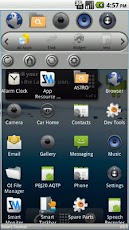
Launch any application instantly. Swipe your finger or click icon anytime in any App to bring up a mini sidebar for super fast app launching also works as app organizer, folder organizer, multi tasker, task killer, and shortcut manager.

If you want to use your phone one handed with complete touch experience, you find Android system takes too many steps to complete one simple job, or you need a faster way to get things organized, get Smart Taskbar to make your life easier.

Smart Taskbar is the first and origin of all similar app in this class. It is the most customizable and more complete in features. In addition, compare to others, Smart Taskbar requires way less steps, finger touch, to do what you want to do.

Language available in: English, French, Spanish, Russian, Chinese
Smart Taskbar Pro v1.2.9d

Feature
*Build custom action (Need Pro)
Smart Taskbar doesn't just launch your installed APP, but also builds any combination of action such as direct phone call to someone or go to your bookmark for super fast without leaving your current window.

*Super fast launcher
Smart Taskbar is exceptionally designed to use your phone's CPU efficiently. The result is a super smooth and fast switching experience.

*5 quick launch spots (10 Spots in Pro Version)
Store your favorite apps or shortcut in any of the five spots for 2 steps instant access.

*Multi Tasker (multitasking)
Navigate to TASK label to see recent/running app in no time.

*Task killer (need pro)
Smart Taskbar also does task killer function to a more direct and intuitive level. Just click on any of the running app and it will be stopped instantly.

*App organizer
Your phone is packed with hundred of APPS? Use Smart Taskbar to create label to group them by function/usage/location.. whatever you like.

*Widget
Smart Taskbar takes widget support differently. Instead of showing your widget to Home screen, you use widget in Smart Taskbar just like launching a regular App. It is very convenient if you have too many widgets to show or you want higer security by not letting people easily see your social widgets at Home screen.

*Quick uninstaller
Quickly uninstall any installed app with just one finger click. No more walk through native Android settign trees for just a simple app uninstall action.

*Quick App setting management
One click to go to App info page for, super fast clear cache, clear data, force stop, and uninstall.

*Changeable Theme
Smart Taskbar now supports custom theme. Currently there are two built in themes to choose from (Default and Honeycomb style)
Smart Taskbar Pro v1.2.9d


REQUIRES ANDROID:1.5 and up

Download Apk :

Market :
https://play.google.com/store/apps/details?id=com.smart.taskbar

Thursday, August 23, 2012

Foxit Mobile PDF 1.1

Foxit Mobile PDF 1.1 - Foxit Mobile PDF for Android

Foxit� Mobile PDF delivers industry leading capabilities to view and annotate PDF documents on the go. Mobile PDF is based on the same technology as Foxit Reader, the desktop PDF solution for over 100 million users. Now, with the Foxit Mobile PDF, you can work on your PDF documents anytime, anywhere, and with any Android device. 
� Annotate PDF documents.
� Add delete and edit bookmarks.
� Reflow feature makes PDF viewing on your android mobile device easier.
� Best PDF reader on Android market.
� 100% compatible with PDF generated by any PDF tool.
Foxit Mobile PDF 1.1
$2.99

Highlight features of Foxit Android PDF 1.0
� Annotate PDF documents
Easy to use pencil, notes or highlight tools help you to annotate your documents while you�re out of your office. All the comments and annotations are compatible with any PDF reader.
� Bookmark Management
One click to add bookmarks helps you to manage your reading or annotation history. Bookmark management tool allows you to edit the bookmarks across the entire file.
� Robust Reflow
Reflow mode automatically fits any PDF content to the screen size of your mobile device, which dramatically improves the reading experience on mobile devices.
� More handy features:
Document manager
Go-to-page scroll bar
Multi-level undo & redo
Auto rotation lock/unlock
Foxit Mobile PDF 1.1


REQUIRES ANDROID:2.1 and up

Download Apk :

Market :
https://play.google.com/store/apps/details?id=com.Foxit.Mobile.PDF

Solid Explorer 1.3.5 Beta

Solid Explorer v1.3.5 Beta - Solid Explorer is a file manager with two independent panels which brings to you a new file browsing experience. This is the most attractive, eye catching and intuitive file manager for the Android.

The application is still in development state and may be UNSTABLE so please treat it with understanding.
It is really recommended to send crash reports with detailed information about the problem. This will help me to solve eventual issues faster.
Solid Explorer 1.3.5 Beta

Main features:
1. Two independent panels for browsing
2. Drag and Drop inside and between panels
3. FTP, SFTP and SMB/CIFS clients
4. File sharing via FTP
5. Support for ZIP, TAR.GZ, TAR.BZ2 and RAR archives
6. Creating ZIP and TAR archives
7. Dropbox, Box, SkyDrive, GoogleDrive
8. Bookmarks
9. Root access
10. Indexed search, also available from the system (that means that you can search for files from the Google Search widget/app)
11. Detailed file and directory information

Solid Explorer 1.3.5 Beta


Warning! Root explorer may still be not functional on some devices causing the app to hang up. I am working on it.

You can learn about planned features in the 'About' section.

Enjoy!

REQUIRES ANDROID:2.2 and up

Download Apk :

Market :
https://play.google.com/store/apps/details?id=pl.solidexplorer

History Eraser Pro 4.0.2

History Eraser Pro 4.0.2 - Best tool to Erase History on Android devices!

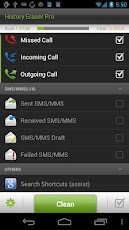
This is the ad free version of History Eraser! One touch cleaner! History Eraser can erase history data on your Android device, cleanup your phone, delete your search history, remove your calllog, delete sms, clean your clipboard, clear all apps' cache files, clear frequently callded, and erase market search history. It is similar to ccleaner on the pc. It is a good sweeper. 1 click to clear all cached files for getting more available space and free memory. very easy to use!click one button and sweep all! no root permission required! Good privacy guard. free up storage and free up memory

Feature:
?Clear Browser History
?Clear Call Log
?Clear text messages
?Clear Market Search History (including new market history of v3.0.26)
?Clear Google Map Search History
?Clear Gmail Search History
?Clear Clipboard Data
?Clear Youtube Search History
?Clear Google Search History(Android >= 1.6)
?Clear all app cache files
?Clear Frequently Called (Frequently Contacted)
History Eraser Pro 4.0.2
$2.06

Feel free to send feedback to us other than 1 star!!

#How to clean your Google Map history
If your Google Map history still comes out after clean, please visithttp://www.google.com/history to disable the history records for your Google account.

***************************
INFOLIFE, Make Life Easier!
***************************

Tags (This part is for Droid,Please ignore)
clear frequently contacted,auto clear phone,One touch cleaner,free phone memory,cache cleaner,clear cache,clear apps cache,history,historyeraser,history eraser,history cleaner,history erase,history clean,history clear,history clean up,call log clean,search history,clipboard data clean,delete sms,remove text message,delete short text messages,free up space
History Eraser Pro 4.0.2


REQUIRES ANDROID:Varies with device

Download Apk :

Market :
https://play.google.com/store/apps/details?id=mobi.infolife.eraserpro

Wednesday, August 22, 2012

Popup Notifier Plus 4.4

Popup Notifier Plus 4.4 - Popup Notifier displays your device's notifications as popup alerts.

With Popup Notifier you can greatly improve the way your device displays notifications.

Support :
* If you have any question or suggestion, please use our feedback page here :https://getsatisfaction.com/productigeeky.

The service :
* To work properly, Popup Notifier requires that you activate the accessibility service "Popup" (accessibility services are currently the only way to process user notifications on the Android OS).
* You then have to use the "Monitoring" section to choose which apps should raise notifications, and how.
* Status bar notifications must be enabled in the monitored apps for the alerts to appear properly.

How to use it :
* View : launches the notification (has the same effect as clicking the notification in the status bar)
* Close : dismisses the current notification and shows the next one (or closes the popup if there is no other notification to show)
* Long-click on "Close" : dismisses all the notifications
* Swipe : Navigate through your notifications

Note that dismissing a notification won�t remove it from the status bar (the Android OS doesn�t currently allow to manually remove 3rd party apps notifications from the status bar).
Popup Notifier Plus 4.4
$2.24

Plus version :
* You can set individual settings for each app
* You have access to 3 exclusive themes : Sense theme, Silver theme, and White theme
* You can hide the app icon on the popup
* You can choose to display the popup only when your screen is off
* You can choose the timeout of the screen when the popup shows up while the screen is off. If you choose � Stay on �, the screen will stay on until you dismissw the popup (Useful for users of phone without notification LED such as Galaxy S, Galaxy SII, Nexus S, Galaxy Nexus, �).
* You can choose to dim the screen when the popup shows up while the screen is off
* You can use custom vibration patterns
* You can use privacy options
* You can use reminders
* You can set quiet hours

Relevant keywords :
popup pop up pop-up alert whatsapp facebook messaging twitter skype missed calls messenger google voice mms sms k9 k-9 talk friendcaster trillian go viber notify notifier
Popup Notifier Plus 4.4


REQUIRES ANDROID:2.1 and up

Download Apk :

Market :
https://play.google.com/store/apps/details?id=com.nlucas.popupnotifications

Thursday, August 16, 2012

MyCalendar Mobile v2.47

MyCalendar Mobile v2.47 - Never forget your friends' birthdays again!

************************************************
AD FREE EXPERIENCE!
************************************************

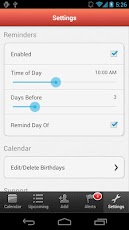
The most popular calendar application on Facebook with over 100 million users is now here on Android! Now with MyCalendar Mobile, you will never forget your friends' birthdays again!

Key Features: 
? Import birthdays from Facebook 
? Add birthdays of all contacts from your phone and add custom birthdays
? Customizable reminder settings: delivers notifications straight to your iPhone) 
? Easily message your friends and wish them "Happy Birthday " along with custom message with just one click! 
? No Ads
MyCalendar Mobile v2.47
$0.99

We are working hard on our next version! More features coming soon! Thanks for your patience!

SUPPORT: Please click "Settings" > "Report a Problem" from inside our application to reach us.


---------------------------------------
Use of this application is governed by the K-Factor Media, LLC Terms of Service. Collection and use of personal data are subject to K-Factor Media, LLC's Privacy Policy. Both policies are available at http://www.mycalendarbook.com/privacy.php andhttp://www.mycalendarbook.com/terms.php. Social Networking Service terms may also apply.


MyCalendar Mobile v2.47

MyCalendar Mobile v2.47


REQUIRES ANDROID:2.1 and up

Download Apk Released by chathu_ac :

Market :
https://play.google.com/store/apps/details?id=com.kfactormedia.mycalendarplus

Autorun Manager 3.6

Autorun Manager 3.6 - Do you want control over startup apps? Autorun Manager gives it!

Do you want to have control over automatically starting applications?

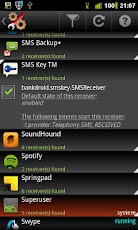
Autorun Manager (formerly Autorun Killer) is an ultimate tool that lets you disable all the autostarting apps you don't need. Unfortunately this app is misunderstood many times so please read help carefully and/or mail the developer if you have questions.

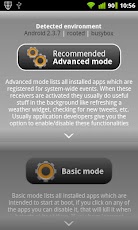
There are many applications that automatically start when you turn on your device; many of these you don't use or need, they just consume your valuable resources. This app sports a basic mode for the regular users and an advanced mode for power users with rooted devices.

Autorun Manager in basic mode lets you manage applications that start up when you boot your device. Applications are terminated right after they start, but if the application is programmed to restart itself this can fail. Please note that some applications are written so that they cannot be stopped because of the android system design. These kind of applications are marked as 'self-restarter' and are better to be left enabled.

In advanced mode you gain control over all the system-wide events and enable-disable application starts. This is the ultimate solution to control what you want to be started, but you also can break apps, so this feature is only for experienced users with rooted devices.
Autorun Manager 3.6

PRO key app is available on the market!

Donators and PRO users receive additional features:
- no ads
- basic mode's prevent restart feature is selectable 
- can block more than 4 receivers in advanced mode
- Chuck Norris mode enabled

If you have questions or face any problems please write me a mail.


Autorun Manager 3.6

Autorun Manager 3.6


REQUIRES ANDROID:Varies with device

Download Apk :

Market :
https://play.google.com/store/apps/details?id=com.rs.autorun

Tuesday, August 14, 2012

Textgram Pro v2.0.4

Textgram Pro v2.0.4 
** Pro Features **
* No Ads

Create beautiful graffiti and share them with your friends on Facebook, Instagram, Whatsapp, Streamzoo, etc.. or save them in your gallery.

Textgram Pro v2.0.4
$1.57


Textgram Pro v2.0.4

Textgram Pro v2.0.4


REQUIRES ANDROID:2.1 and up

Download Apk :

Market :
https://play.google.com/store/apps/details?id=codeadore.textgrampro

Monday, August 13, 2012

Android Pro Widgets v1.3.0

Android Pro Widgets v1.3.0 - Advanced widgets package with many themes and features

A set of powerful and extremely useful home screen widgets!

? Designed for both smart phones and tablets

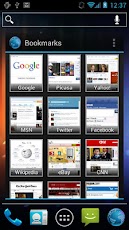
? Widgets for Agenda & Calendar, Contacts, Bookmarks, Messaging, Facebook, Twitter, Google Reader (separately).

? Scrollable widgets (please read notes 2-3)

? For any issue please email us to dr.appche@gmail.com

� Reviews:
�Do you want a set of customizable, skinnable and accessible widgets to your needs on the homescreen? Then look no further�� - Android UK News

�If you love periodically changing the look of your phone and the interface options, Android Pro Widgets is the number one program on the android market� - http://androidwidget.info

�APW is one of the most comprehensive and complete widget suites available� - Android Community

�The graphics are so polished that it feels as if Android Pro Widgets was included with the device� - HTC Source
Android Pro Widgets v1.3.0

�It�s my belief that the widgets included in Android Pro Widgets should have already been built into Android� - AndroidStatic

�Now This is What an Ice Cream Sandwich Widget Should Look Like� - AndroidSpin (refers to Modern ICS themes)

� Available widgets:
? Agenda & Calendar
? People
? Bookmarks
? Messaging
? Facebook
? Twitter
? Timeline (Facebook + Twitter) [License required]
? APW Google Reader is available separately.

� More tools:
? Quick Event - Quick Calendar event insertion tool w/ native language processing and speech recognition capabilities!
? Say What - little 4x1 widget to update Facebook/Twitter quickly from the home screen.

� Please
? Need help? Email us to dr.appche@gmail.com
? Read the notes before you comment.
? Use http://apw.uservoice.com for any feature request. 
? Read known issues and suggested fixes athttp://androidprowidgets.blogspot.com/p/known-issues.html

� Buy the license key to support the development and unlock all features including access to many themes.
Link: http://market.android.com/details?id=com.rdr.widgets

� Theme Makers:
Follow the Create Themes page on our blog http://androidprowidgets.blogspot.com/p/create-themes.html

� Notes:
[1] This is a widgets package. The main app is mainly intended for explaining how to actually add widgets to your home screen.
[2] A scroll button is used on Android 2.x with launchers that don't support scrollable widgets. If your launcher does not support scrolling either use the scroll button or replace your launcher!
Honeycomb, ICS, ADW Launcher, Launcher Pro, Go Launcher Ex and many other launchers support scrollable widgets.
[3] Currently the calendar widget is not scrollable in its grid mode and I don't promise it ever will be because currently launchers don't support any extension to allow page flipping. Agenda view is fully scrollable though.
[4] In Quick Event entering the edit window will ignore the reminder setting and the selected calendar, and use the default calendar application settings instead.
[5] Bookmarks widget supports the following browsers: Stock, MIUI, Miren, Skyfire. Please understand that most browsers simply can't be supported.
[6] Facebook/Twitter pictures are cached to SD card. Clear cache in preferences if the pictures are outdated.
[7] Reasons for every permission are available herehttp://androidprowidgets.blogspot.com/p/android-permissions.html


Android Pro Widgets v1.3.0

Android Pro Widgets v1.3.0


REQUIRES ANDROID:2.1 and up

Download Apk :

Market :
https://play.google.com/store/apps/details?id=com.rdr.widgets.core

Sunday, August 12, 2012

Root Explorer (File Manager) 2.21.1

Root Explorer (File Manager) 2.21.1 - Root Explorer is the ultimate file manager for root users. Access the whole of android's file system (including the elusive data folder!).

Features include SQLite database viewer, Text Editor, create and extract zip or tar/gzip files, extract rar archives, multi-select, execute scripts, search, remount, permissions, bookmarks, send files (via email, bluetooth etc), image thumbnails, APK binary XML viewer, change file owner/group, create symbolic link, "Open With" facility, MD5, create shortcuts.
Root Explorer (File Manager) 2.21.1
$3.92

For fast, friendly support simply email us: support@speedsoftware.co.uk

We will always try to help with any problem you may have with the app. If we can't help then you can have a refund, no questions asked.

Although 14,000+ five star ratings will tell you that most people are very satisfied customers. Make sure you read as many comments as possible to get a good idea of what most people think of the app.

We still respect the old 24 hour refund policy. So if you're not happy with the app just email us within 24 hours and you can have a refund. We'll need to know the order number, which you can find on the emails sent to you by Google when you downloaded.

Why compromise? Get the original and the best!


Root Explorer (File Manager) 2.21.1

Root Explorer (File Manager) 2.21.1


REQUIRES ANDROID:1.1 and up

Download Apk :

Market :
https://play.google.com/store/apps/details?id=com.speedsoftware.rootexplorer